
JChem for Office
Making chemistry happen in Excel, Word, PowerPoint & Outlook
Looking for JChem for Office Lite? Click here.
Summary
JChem for Office integrates chemical structure handling, data analyzing, visualizing and reporting capabilities within the Microsoft Office environment.
Structures can be edited and also copy/pasted throughout Excel spreadsheets, Word documents, PowerPoint slides and even Outlook e-mails. The JChem add-on equips your Excel with robust chemistry handling. It provides ultra fast loading or scrolling throughout virtually thousands of structure rows. Structure based calculations, R-group decomposition, library enumeration and SAR-table generation belong to the more advanced functionalities that JChem for Office can offer.

Learn more

Download now
Features
Import and export content
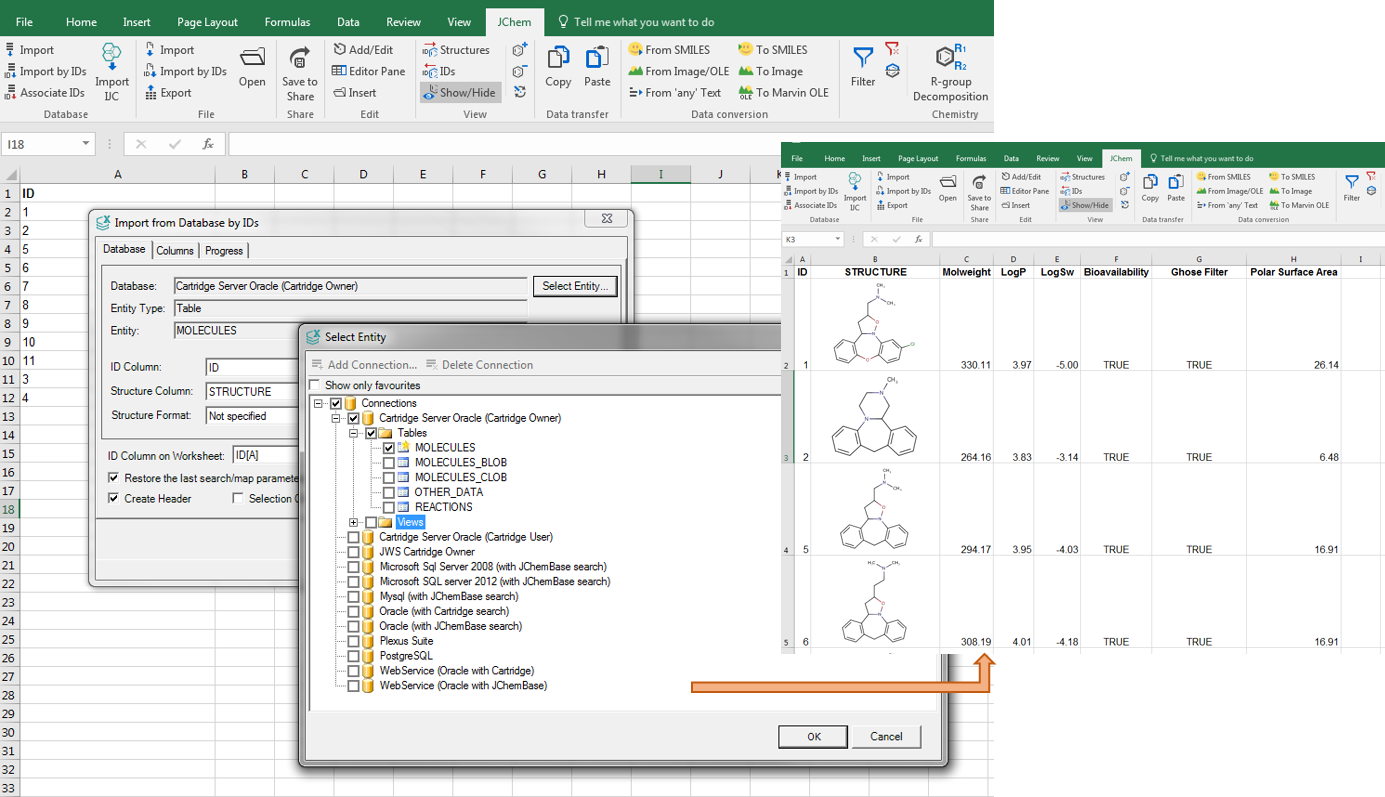
JChem for Office can connect to different database engines (Oracle, MySQL, MSSQL and PostgreSQL). When importing a database, you have the option to pre-filter the data; you can include internal compound IDs as well. If you have a list of compound IDs only, without actual structures, JChem for Office can retrieve the IDs for you from your database. JChem for Office can handle all standard chemical file formats (sdf, rdf, IUPAC name, smiles, mrv) at import and export. Importing and managing thousands of rows with chemical and non-chemical data won't affect its robust performance.
You can connect JChem for Office to our Instant JChem Enterprise software; and receive selections and projects via a bridge. By using our Document to Structure tool, you can additionally extract chemical names and structures from documents (pdf, txt, html, xml, MS Office, OpenOffice ODT etc.) as live structures into JChem for Office.
Features
Extending Excel features for chemistry
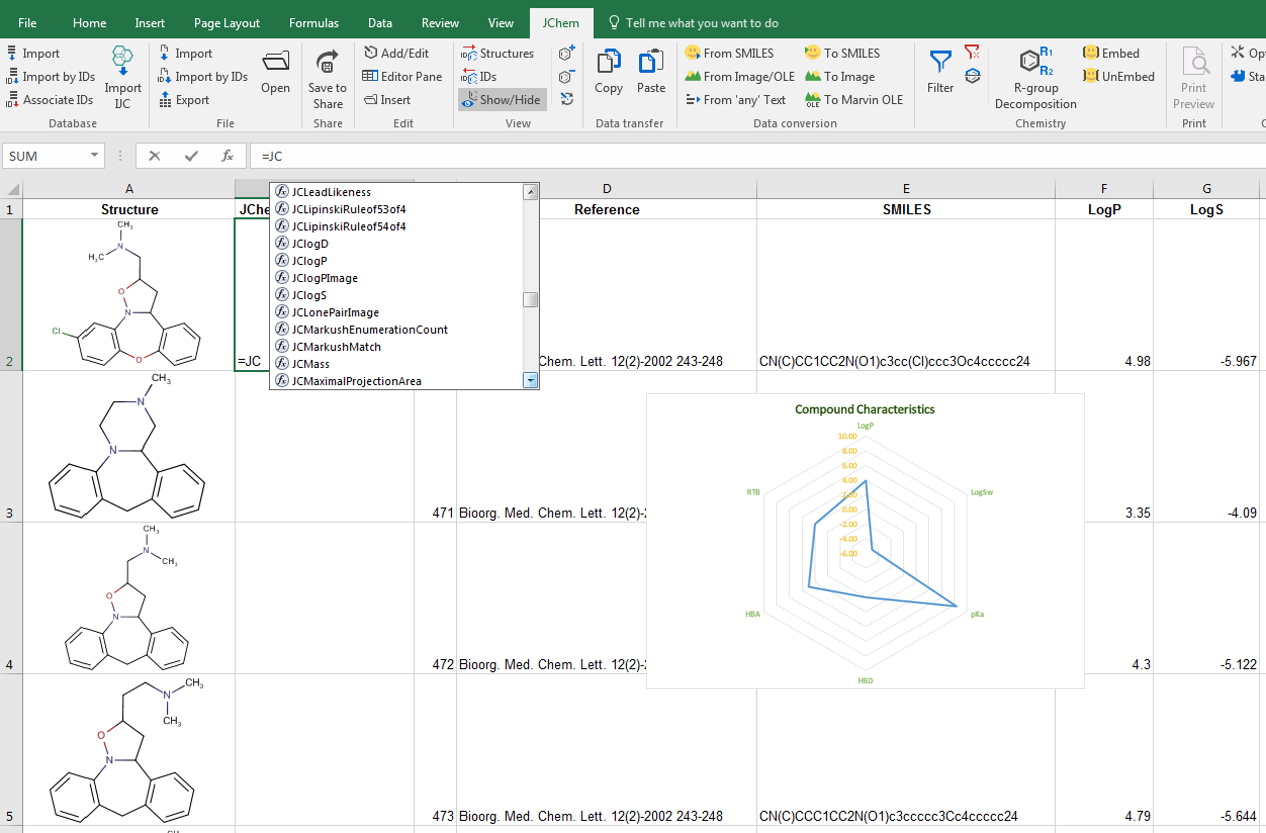
Our structure-based calculations are integrated into MS Excel's custom functions. One of our add-on products, the Calculator Plugins makes it possible to populate your cells with physico-chemical properties, molecular descriptors or topology analysis results. This integration means that dependent colums are automatically updated if a new row is added or a chemical structure is edited. Chemical Terms, a language for combining and extending Calculator Plugins is also natively integrated. You can easily set up complex structure based arguments.
Structures can be filtered from the active worksheet available additionally. You can search for structures by query structure and specified search options. Similarity, substructure, full structure, superstructure and duplicate searches are directly available in JChem for Excel. To narrow down the hit list, it's possible to apply further structure filtering. Chemical data-sets can be easily divided and rows can be selected or exported into standard chemical files that can be further processed by other applications.
Features
Structure-Activity Relationship table generation
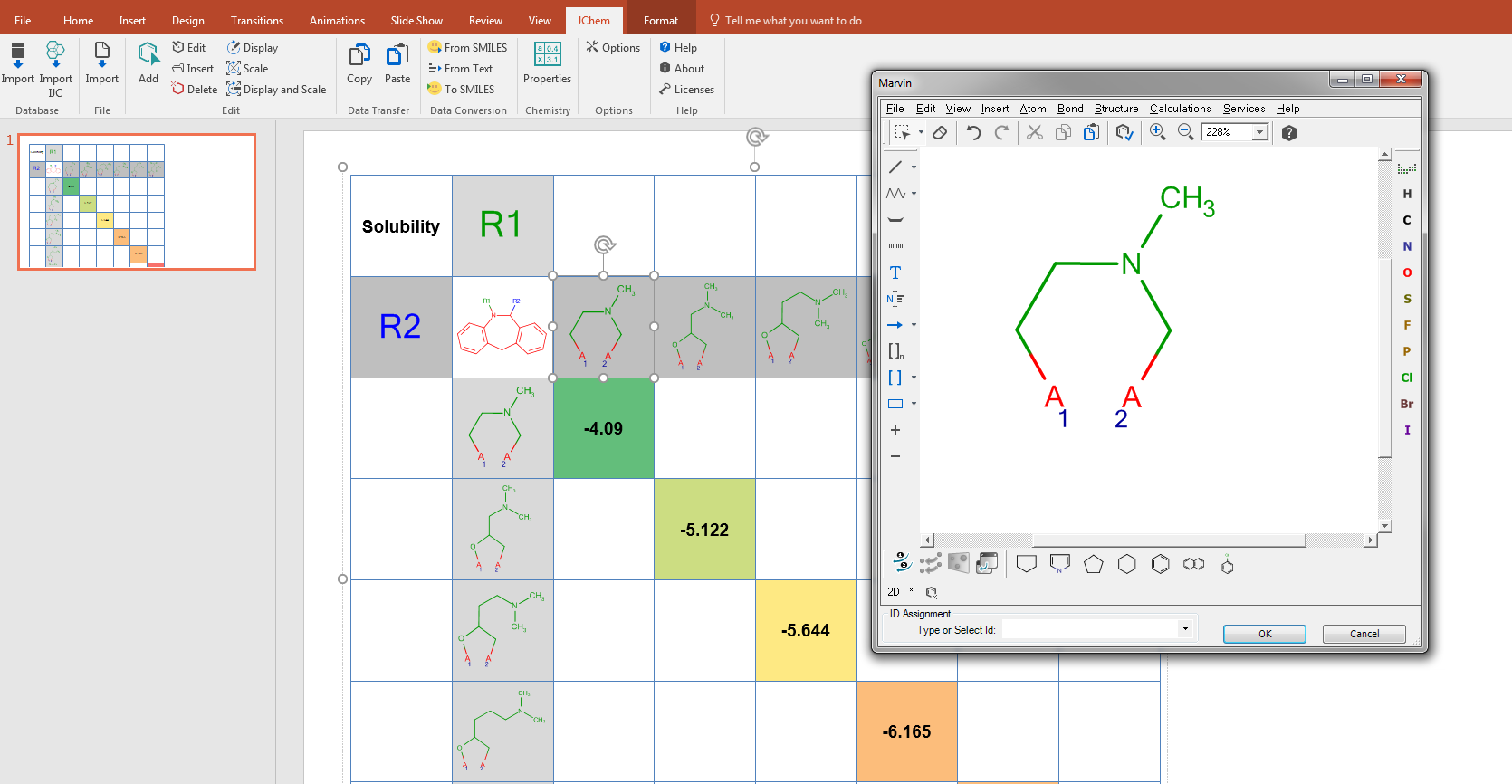
There are also KNIME nodes and Pipeline Pilot components to handle JChem for Excel workbooks in batch mode. Exporting data from these applications can be further analysed also by R-group decomposition to generate either Markush tables providing input for virtual library generators; or Structure-Activity Relationship (SAR) tables that are often used during the drug development phases. The resulting R-group table can further be characterized using the JChem for Excel functions together with the Excel functions; frequently occurring substituents and their contributions to the biological activity can be statistically evaluated. The results can be presented in JChem for Word or Powerpoint by simply copying the SAR-table together with conditional formatting and live structures.
Features
Virtual library generation
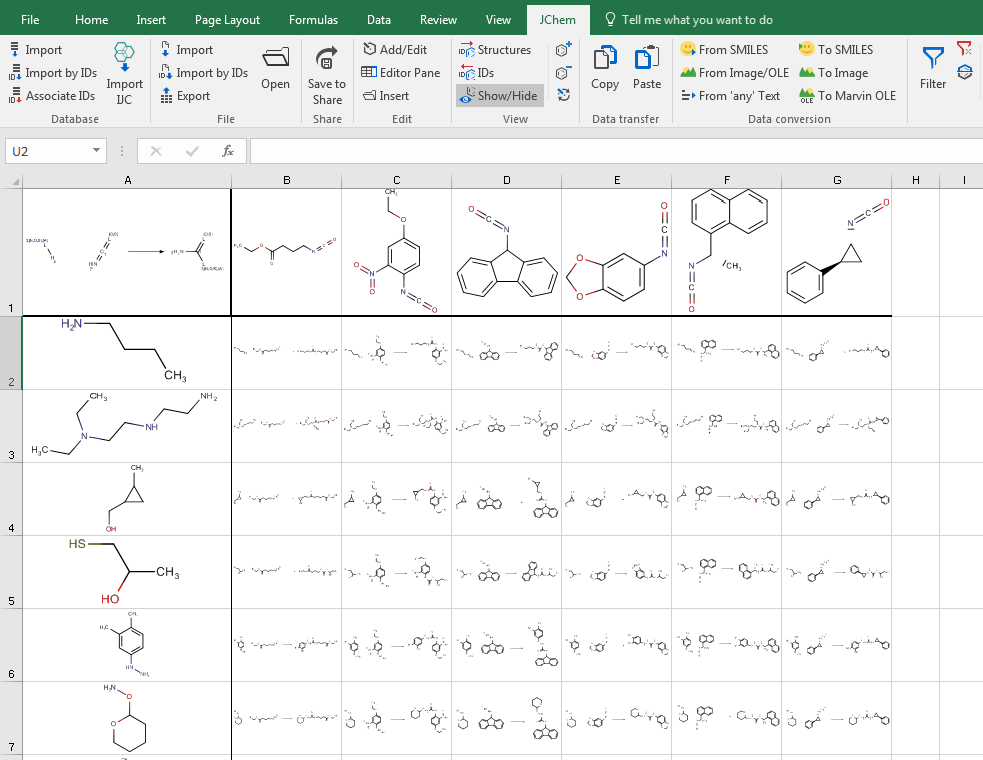
JChem for Excel uses Chemaxon’s Reactor, synthesis engine for virtual library generation. The Reactor engine is available via a simple JChem for Excel function in a single Excel sheet. The general reaction and the reactants are given in the excel sheet and reagents can be arranged in a sequential or combinatorial mode. Products or the whole reaction can be visualized. Chemaxon’s empirical smart rules are available in JChem for Excel, predicting the reactivity and selectivity and can be specified by the user through a generic reaction. For more about generating generic reactions see reaction rules. Chemaxon’s enumeration technology allows applying empirical smart rules in JChem for Excel, predicting the reactivity and selectivity.
Features
Reporting Capabilities with JChem for Office
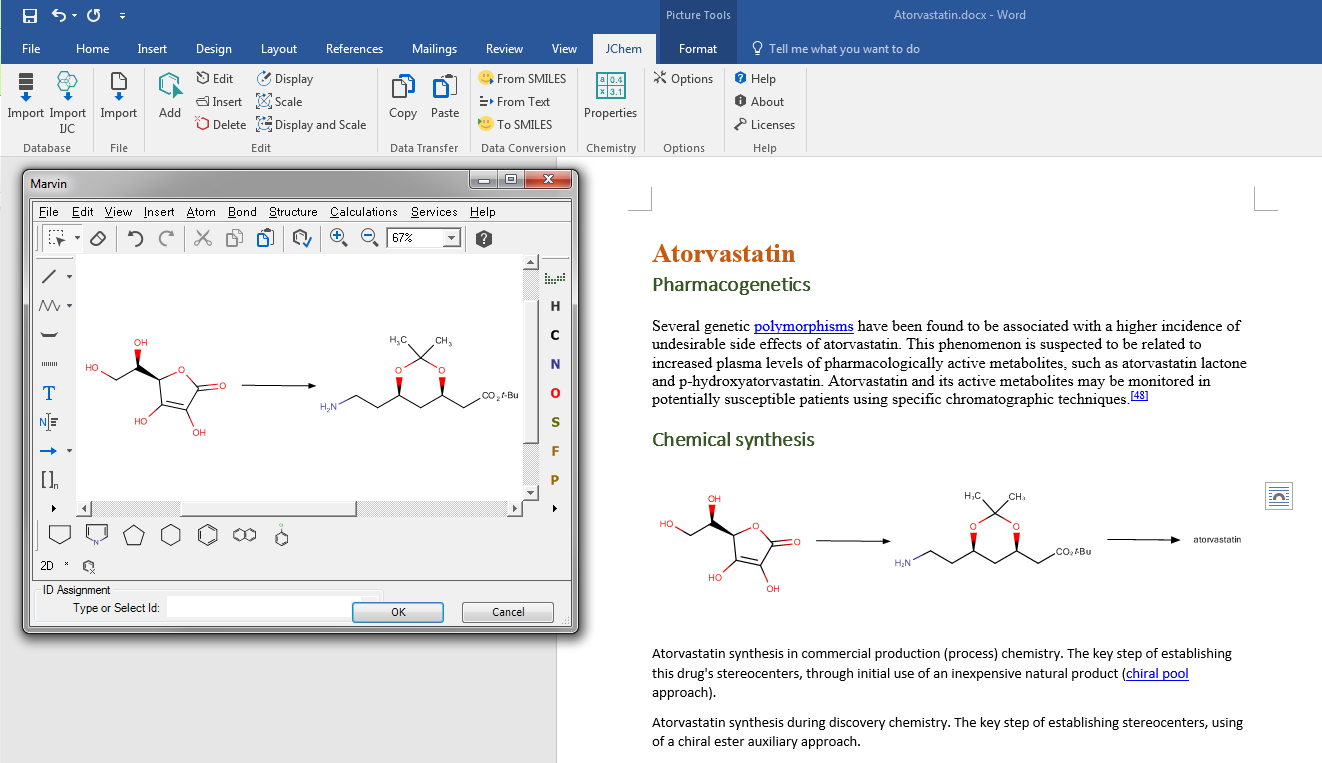
Direct import to Word, PowerPoint and Outlook is possible, or if you would like to create a report for a subset of compound IDs by connecting to a previously defined database connection in Excel and copy-paste the data to a Word or Powerpoint document. Imported data can be pre-formatted in Excel eg. by creating an SAR-table or a chart and then copy them to other Office applications. The report can be created in two different types of layouts.

Summary
Copy, paste and edit structures from and to different chemical editors
JChem for Office Lite is Chemaxon's newest chemoinformatics solution in Microsoft Office products. It is a lightweight, easy-to-use add-in for Word, PowerPoint, and Outlook. Lite is ideal for users who only want to copy and paste single structures from chemical editors to Office applications. The pasted structures then can be edited as seamlessly as in JChem for Office.
Features:
-
Copying and pasting structures from and to all chemical editors that are currently supported in JChem for Office.
-
Editing structures with a double-click in the chosen chemical editor.
-
Automatic renderer detection that supports Marvin and ChemDraw.
-
Changing renderer and editor through context menu items.

Documentation