Chemical Name and Structure Conversion
Convert a variety of chemical names into structures and vice-versa with this reliable tool.
Summary
Bi-directional conversion
Chemaxon offers a powerful naming engine that can convert chemical and biochemical structures and names into various formats bi-directionally. In addition to IUPAC and traditional name support, it recognizes common names and CAS Registry Numbers®, retrieved via public web services. It references a local user customizable dictionary, a database or a web service to convert corporate IDs, or arbitrary texts to structures. Besides English language, our technology supports name to structure conversion from Chinese and Japanese languages as well.
Let's Chat
Download
Feature
Structure to Name Conversion – IUPAC and common names
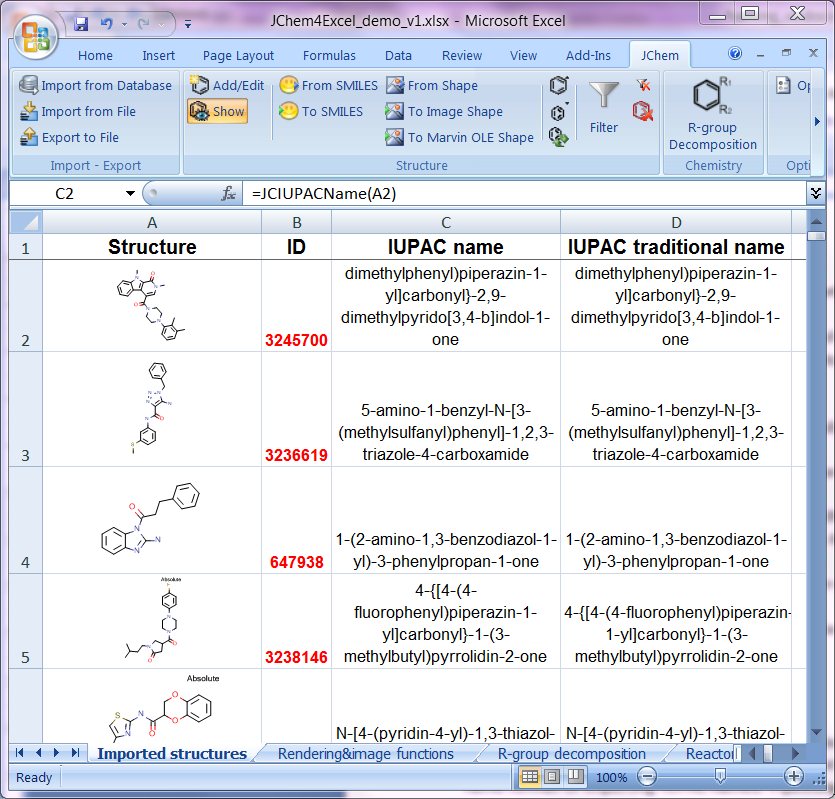
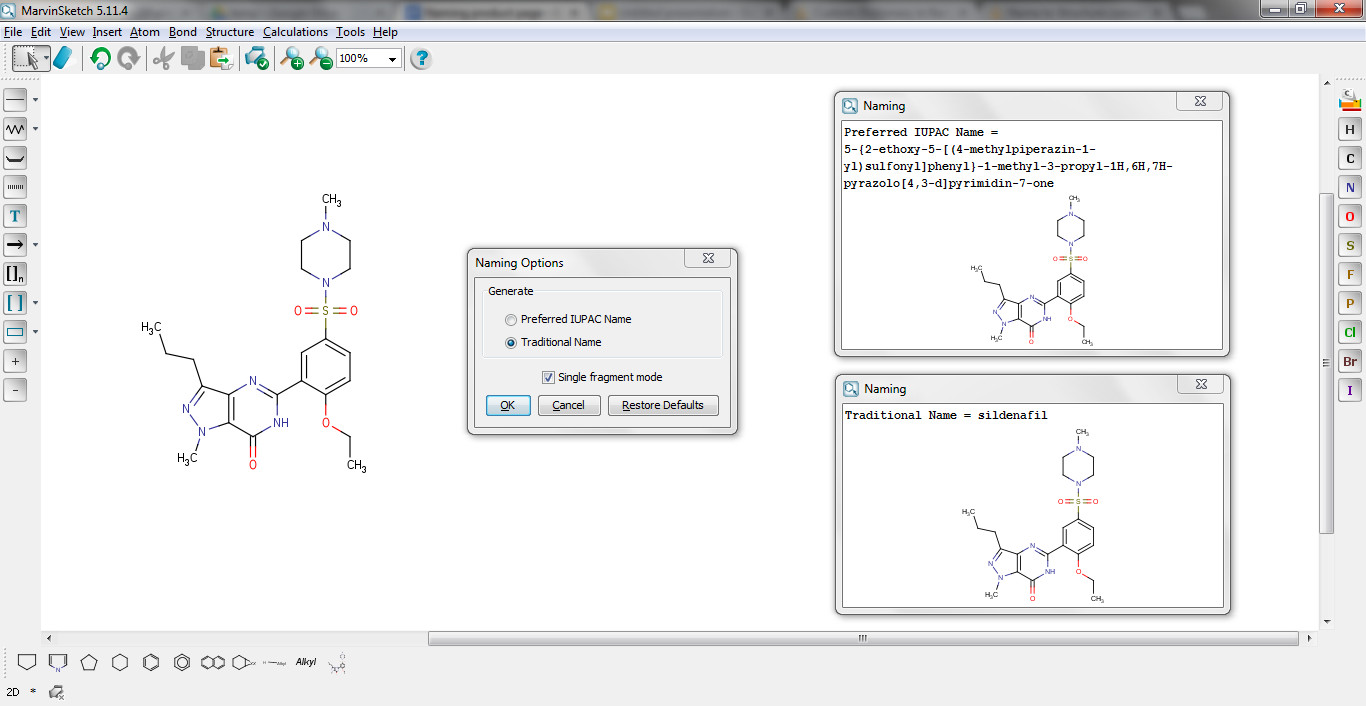
Naming allows users to generate IUPAC names from structures according to the latest IUPAC conventions. In addition, traditional names can also be generated if applicable. Radicals, natural products, or peptide sequences are also supported.
Feature
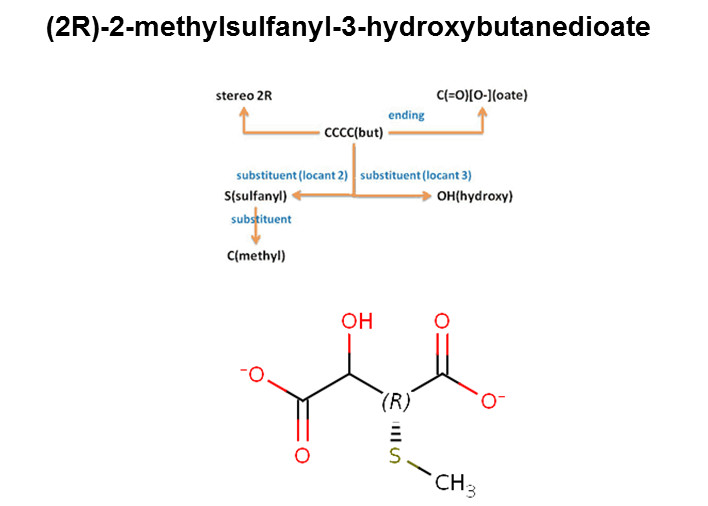
Name to Structure Conversion – IUPAC, common names, CAS RN®
Various types of chemical names can be converted to structures with converting technology, including: IUPAC names, systematic names, common names, drug commercial names, and CAS Registry Numbers® via a public web service. (CAS, a division of the American Chemical Society, is the authoritative source for a CAS RN®. Please contact CAS at help@cas.org for more information about assignment and validation of a CAS RN®. CAS RN® is a registered trademark of the American Chemical Society.)
Feature
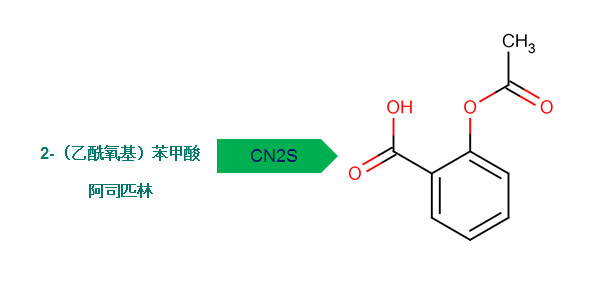
Asian Language Support
To accommodate the fast growing scientific literature in Asian languages, Chemaxon has released Chinese and Japanese 'Name to Structure' conversion tools. Supporting these languages opens up the door to a vast library of Chinese and Japanese patents and other documents with chemical content for researchers.
Feature
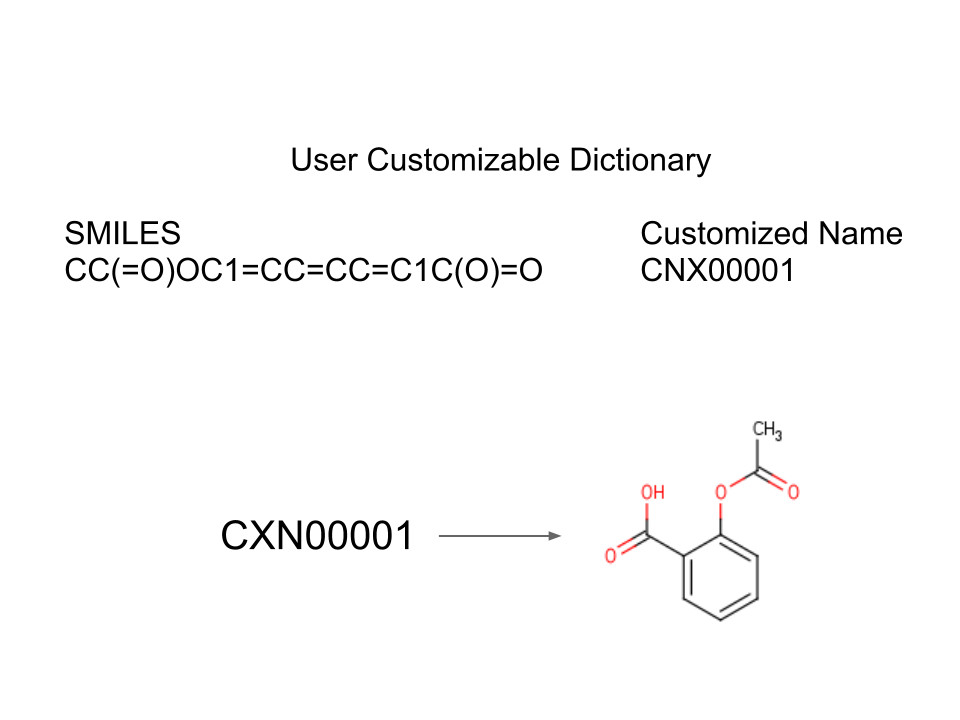
Customizable Dictionary
Chemaxon's naming technology is highly flexible and customizable. The chemical name and structure conversion supports users custom dictionary, where SMILES and any other text can be used to reference information for conversion. This is rather useful if there are obscure common names that cannot be found in our naming dictionary, or if corporate compound IDs have to be converted into chemical structures. This custom dictionary can be stored in a local file, accessed from a database, or through a web service.
Availability
Chemaxon’s name and structure conversion technology is available throughout our product portfolio. If you download the Chemaxon products below, you will gain access to naming capabilities too:
- Chemical Data Extraction and Chemicalize rely heavily on the conversion functionality
- In Marvin, IUPAC and traditional names can be generated and displayed on the canvas and in a separate window too
- Instant JChem, the JChem Engines, JChem for Office, Plexus Suite also use the naming technology; and these tools can perform batch conversion between multiple structures and names bi-directionally
- ChemCurator, ChemLocator, Compliance Checker and Marvin Live extend the name and structure conversion with other specific knowledge for research and analysis
- Chemical name and structure conversion is also available as a KNIME node and as a Pipeline Pilot component
- Custom applications can also be built on top of the conversion engine via the Marvin API. Many of our partners (like Linguamatics or Questel) rely on our technology to extend capabilities in chemical text mining.